Online Exam Invigilation, Built Into Your LMS
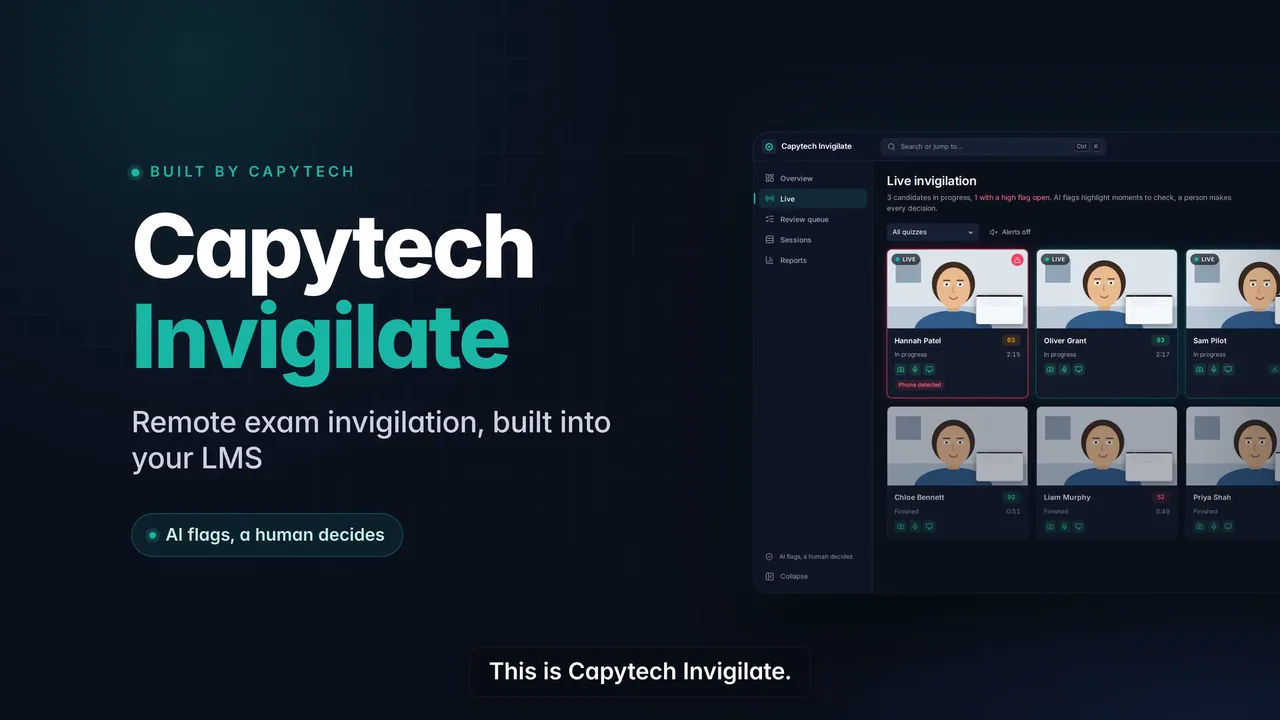
Capytech Invigilate watches online exams through the learner's camera and screen, flags anything unusual and gives your team the evidence to decide. AI flags the moment. A person makes the call. It runs inside Siraj, our AI-powered LMS, so there is no separate system to manage.
From Camera Check to Final Decision
About a minute of set-up: camera and screen checks and an identity photo, then the exam as normal.
The camera and the whole screen are monitored until the learner submits.
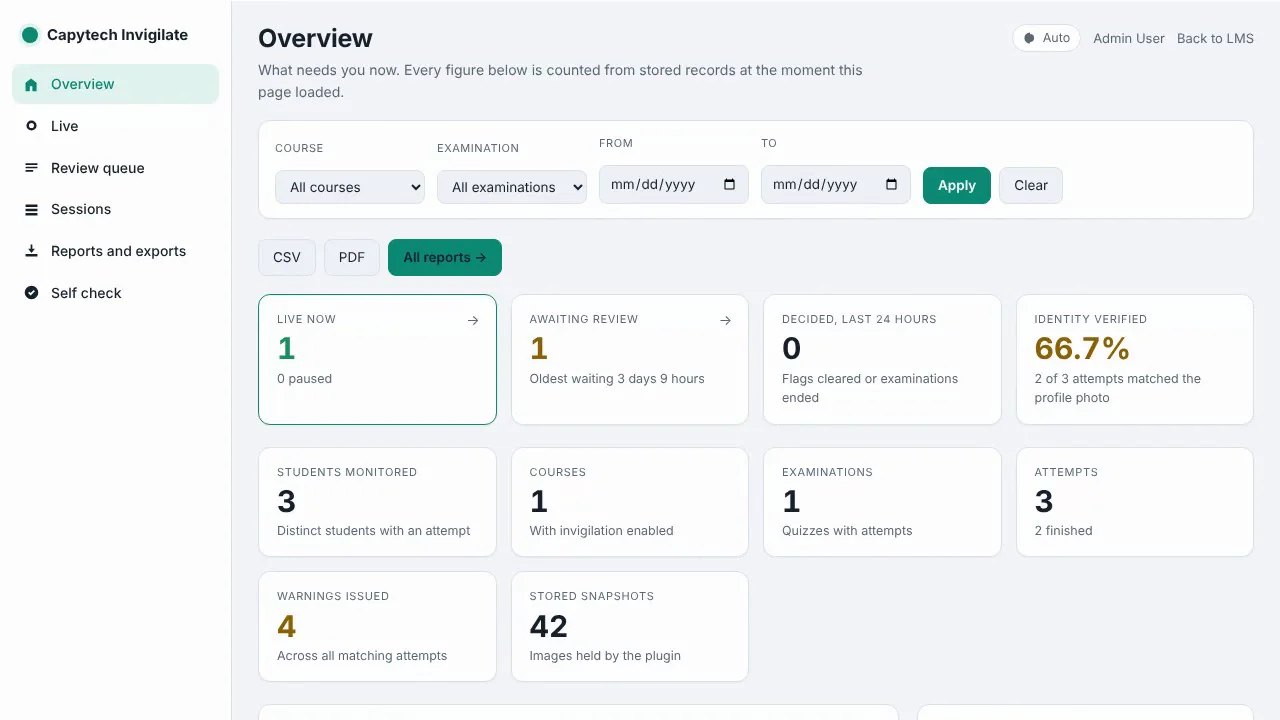
Invigilators see every running attempt on one screen and can step in at any time.
Every flagged moment comes with its picture, so reviewers decide quickly and fairly.
AI Flags the Moment. You Make the Call.
Capytech Invigilate never fails a learner on its own. It records what it saw, with the time and a picture, and puts the attempt in a review queue. Your invigilators or examiners look at the evidence and decide.
That keeps decisions fair and defensible, and it lets one person oversee far more exams than live video invigilation alone.
Every Detection, in Plain English
Each flag tells the reviewer exactly what happened and when.
No face
Nobody is in front of the camera.
Looking away
The learner keeps looking away from the screen.
Talking
The learner appears to be speaking to someone.
Second person
Another person appears next to the learner.
Person in the background
Someone is visible behind the learner.
Identity mismatch
The face does not match the learner's profile photo.
Camera lost
The camera was turned off or disconnected.
Window or tab switch
The learner left the exam window.
Screen share lost
Screen sharing stopped during the exam.
Several faces
More than one face is in view.
Identity not verified
The identity check was not completed.
Pre-exam check
The camera or screen check did not pass before the start.
Every Running Attempt on One Screen
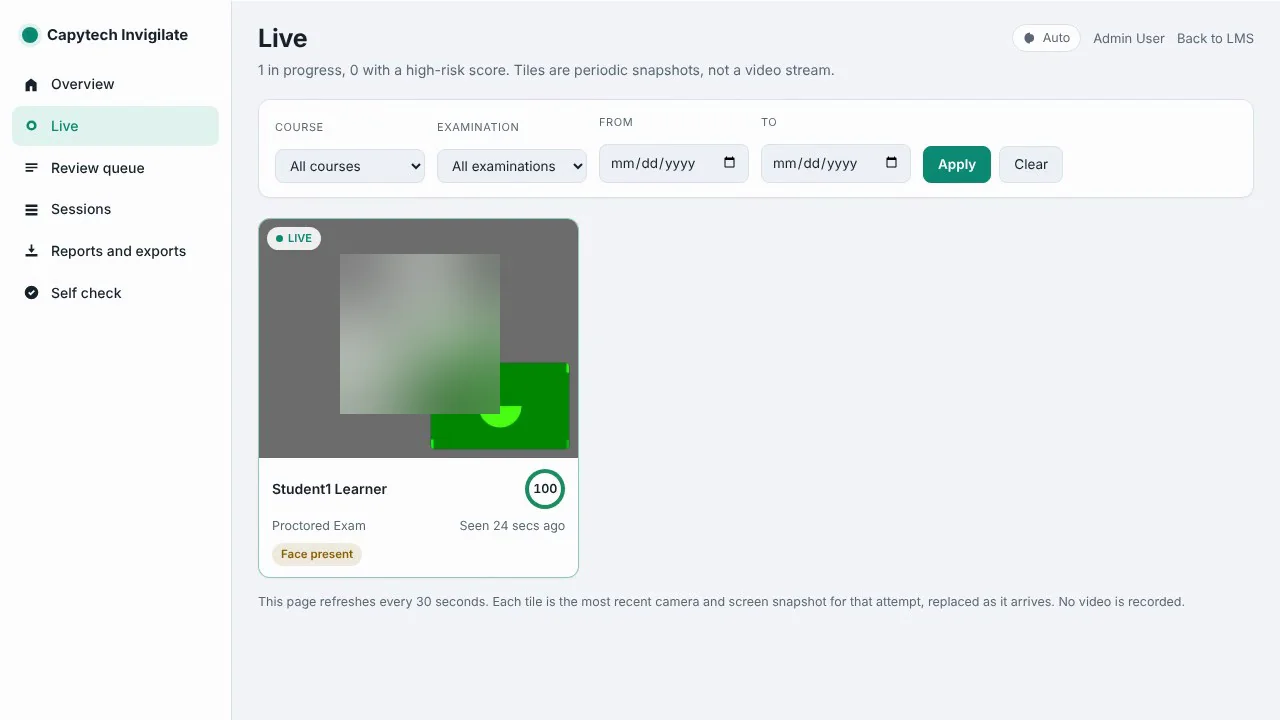
The live view shows the latest camera and screen snapshot for each attempt, with a score that drops when something needs attention. Invigilators can watch a whole cohort from one page.
It uses periodic pictures instead of continuous video, which keeps storage light, works reliably with a whole class online and limits how much personal data is held.
Built for Exams That Matter
Questions stay hidden
Questions only appear once the checks pass, and hide again if the camera or screen share drops.
Identity you can trust
A photo at the start is matched against the learner's profile picture.
Live control
Invigilators follow every attempt as it happens and can step in.
Clear warnings
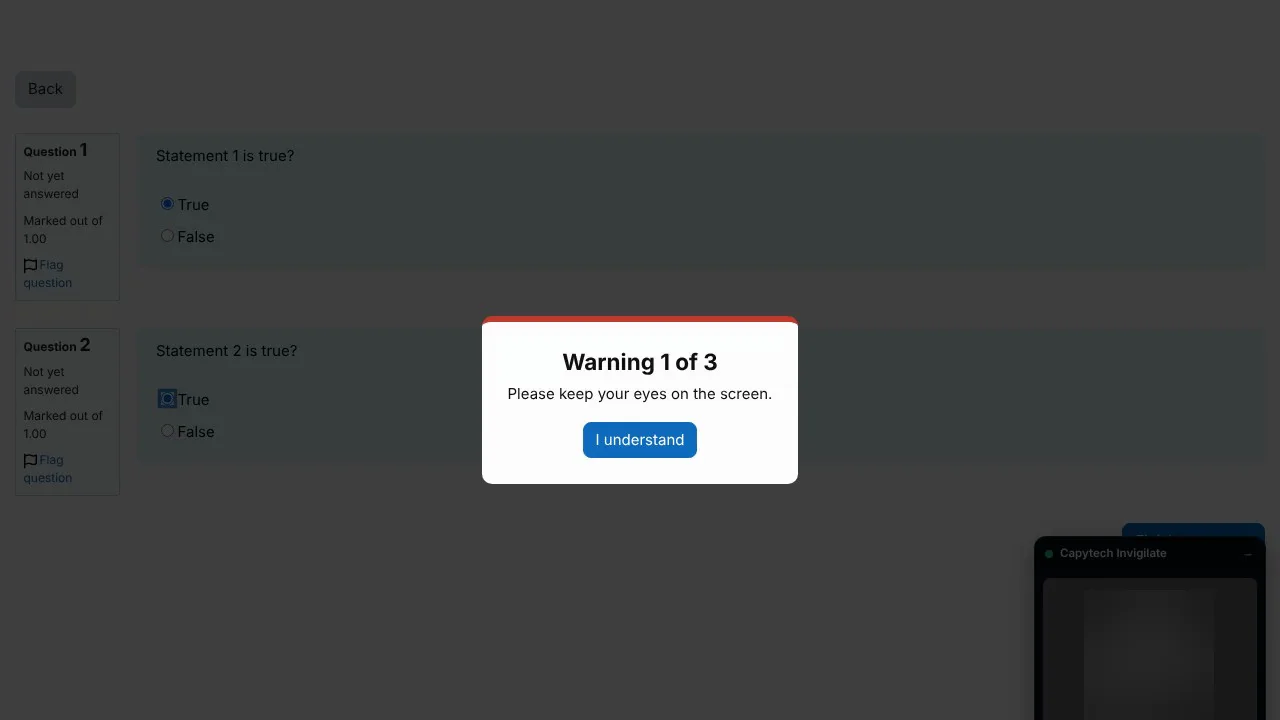
Learners see a plain warning before anything is escalated, so honest mistakes are corrected.
Reports and evidence
Export reports to CSV or PDF with an evidence pack for any attempt under review.
Set how strict it is
Choose which detections count and how many warnings a learner gets.
Secure for You, Fair for Them
Learners are told what is checked before anything is recorded. The microphone is never used. Extra time arrangements still work, and a person makes every decision.
Pictures and reports stay in your LMS, are kept only as long as you set and are visible only to the staff you choose.
For Any Exam Where the Result Matters
Certification and licensing exams, training academies, professional bodies, banks, government entities, universities and any organisation whose exam results have to stand up to scrutiny.
What is online exam invigilation?
Online exam invigilation, also called remote proctoring, checks that an exam taken on a computer is fair: that the right person is sitting it, that they are alone and that they are not using other material. Capytech Invigilate does this with identity checks, camera and screen monitoring and a human review of anything flagged.
Online Exam Invigilation Questions
Does it record video?
No. It takes periodic camera and screen snapshots instead of continuous video, which keeps storage light and limits how much personal data is held.
Does it use the microphone?
No. The microphone is never used.
Does the AI fail learners automatically?
No. The AI flags moments for review. A person looks at the evidence and makes every decision.
What do learners need?
A computer with a webcam, a modern browser and permission to share their screen.
Where is exam data stored?
In your LMS. Pictures and reports are kept only as long as you set, and only authorised staff can see them.
Can learners with extra time still use it?
Yes. Extra time arrangements work as normal.
Does it work with any LMS?
Capytech Invigilate is built into Siraj, our AI-powered LMS. Talk to us about moving your exams across.
How much does online exam invigilation cost?
It depends on the number of learners and exams. We do not publish prices on this site. Book a demo and we will send a written quote.
See Capytech Invigilate
on Your Own Exams
Book a free demo and watch an invigilated exam from both sides: the learner's and the reviewer's.

Capytech is a Dubai-registered e-learning provider with offices in Dubai and Abu Dhabi, building training for organisations across the GCC and around the world, in any language.